

 Home
 National
 International
 Merit list
 Date Sheet
 Result
 Admission
 Study Abroad




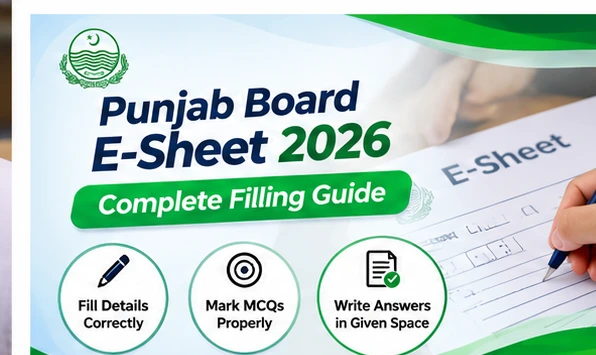
How to Fill Punjab Board E-Sheet Correctly: Step-by-Step Guide
Students appearing in Punjab Board examinations should understand how to fill their E-Sheets correctly before attempting their papers. The E-Sheet format is designed to support digital scanning and on-screen marking, making accurate identification details, clear handwriting and properly arranged answers particularly important.
Students should carefully follow the instructions printed on their examination sheets and those provided by the examination staff. The exact format and requirements may differ depending on the board, examination session and subject.
What Is the Punjab Board E-Sheet?
The Punjab Board E-Sheet is an examination answer-sheet format designed for digital scanning and on-screen marking. Instead of relying entirely on traditional paper-based checking, scanned answer sheets can be displayed electronically for examiners to evaluate.
This approach requires students to write their answers in the designated areas and complete identification fields accurately. Incorrect entries, unclear markings or writing outside the provided space may create difficulties during scanning and assessment.
The introduction of E-Sheets is associated with efforts to improve the examination checking process. However, students should confirm whether the system applies to their particular examination before assuming that every paper uses the same format.
How to Fill Punjab Board E-Sheet Correctly
Students can follow these practical steps when completing an E-Sheet. Always give priority to the instructions printed on the actual examination paper.
Step 1: Check Your Examination Details
Before writing anything, carefully examine the E-Sheet and compare the required information with your roll number slip.
Check your roll number, class, examination session and subject. If the sheet contains fields for a paper code or other identification information, complete them according to the instructions.
Never guess a missing code or fill an unfamiliar field without asking the examination supervisor.
Step 2: Enter Your Roll Number Carefully
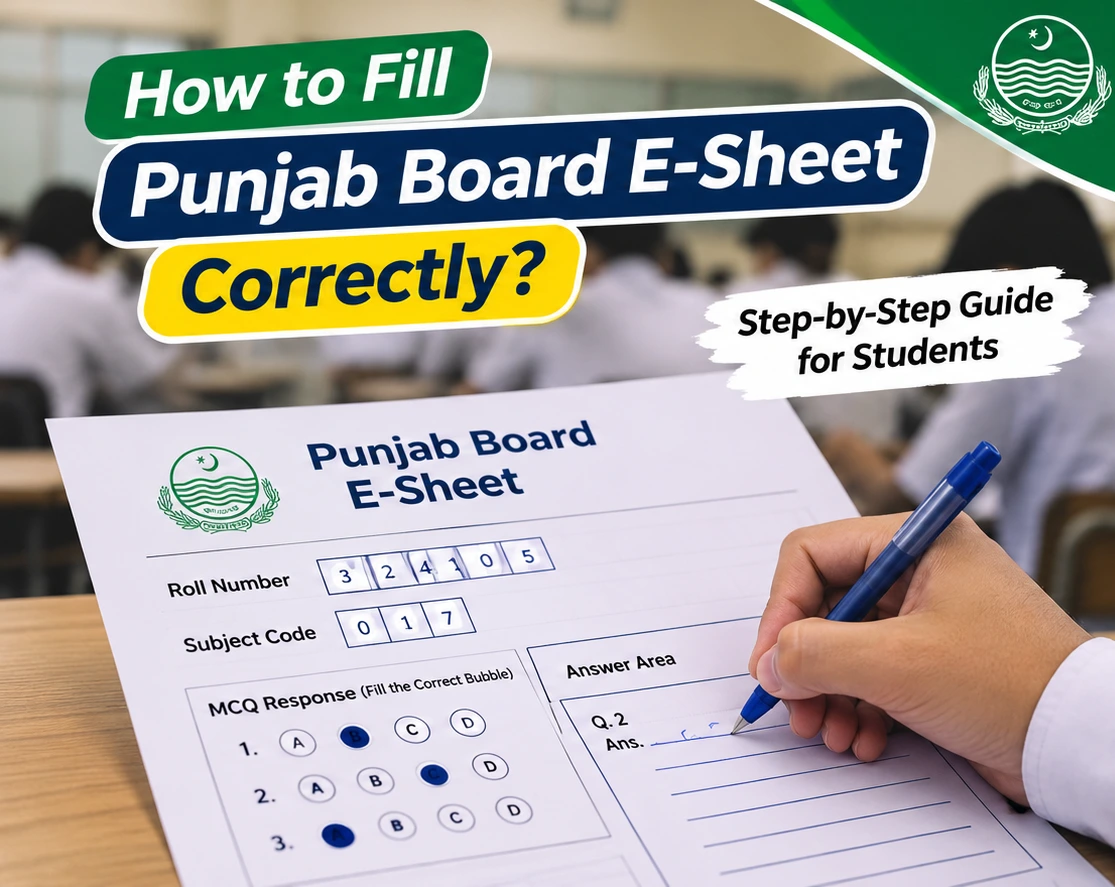
Your roll number is an important identification detail. If the E-Sheet provides separate boxes for digits, enter each digit in the correct position.
Where matching bubbles are provided, fill the appropriate bubble for each digit as instructed.
Double-check the entire roll number before proceeding. If you make an error, inform the examination supervisor rather than attempting an unauthorized correction.
Step 3: Complete the Required Identification Fields
Some E-Sheet formats may include fields for the student's name, examination date, class, group or other information.
Complete only the fields intended for candidates. Do not write in areas reserved for examination staff, scanning codes or official use.
If a field is unclear, request guidance before filling it.
Step 4: Follow the Instructions for MCQ Answers
If your examination includes a separate MCQ response section, carefully read its marking instructions.
Where the sheet requires bubbles, select the correct option and mark it exactly as directed. Avoid placing marks between options or accidentally marking more than one answer.
Make sure that the question number on the paper matches the corresponding answer number on the response sheet.
Step 5: Write Answers Inside the Provided Boxes
If your E-Sheet contains separate answer boxes, write the complete answer within the designated space.
Keep definitions, formulas, calculations and diagrams inside the relevant answer area. Avoid writing across borders or using margins for additional explanations.
If an answer requires more space than provided, ask the examination supervisor whether an additional sheet or another approved arrangement is available.
Step 6: Keep Handwriting Clear and Readable
Write neatly and maintain appropriate spacing between words and lines. Clear handwriting makes answers easier to read when the sheet is scanned and displayed on a screen.
For mathematics and science subjects, present calculations in a logical sequence. Draw diagrams neatly, label them clearly and keep them within the permitted writing area.
Use only the writing instruments permitted by your examination board.
Step 7: Review the E-Sheet Before Submission
Before submitting your paper, check that all required identification details are correct and your answers appear in the appropriate sections.
Confirm that you have not skipped a question number accidentally or written an answer in the wrong box.
Finally, submit all examination materials according to the supervisor's instructions.
Common Punjab Board E-Sheet Mistakes to Avoid
Students should pay special attention to the following mistakes during examinations.
|
Common mistake |
What students should do |
|---|---|
|
Incorrect roll number |
Compare every digit with the roll number slip |
|
Wrong paper code |
Verify the code before filling the relevant field |
|
Incomplete identification details |
Review all mandatory candidate fields |
|
Writing outside answer boxes |
Keep answers within the designated boundaries |
|
Incorrect MCQ markings |
Follow the printed bubble-filling instructions |
|
Unclear handwriting |
Write neatly and maintain suitable spacing |
|
Answers in the wrong sections |
Match each answer with its question number |
|
Unauthorized corrections |
Ask the supervisor for guidance |
|
Writing in reserved areas |
Leave scanning and official-use spaces untouched |
Why Correct E-Sheet Filling Matters
Correctly completed examination sheets help ensure that students' responses can be identified, scanned and presented for marking without unnecessary complications.
Accurate information reduces the possibility of identification problems, while clear writing and properly positioned answers make scanned responses easier to assess.
Students should remember that an E-Sheet is still an examination answer sheet. Good preparation, accurate answers and compliance with examination instructions remain essential.
Punjab Board Matric and Intermediate Examination Preparation
Students preparing for their upcoming examinations should review their date sheets, practise writing answers within a limited space and become familiar with the instructions used in their examination centres.
Matric students can check the 10th class date sheet to review examination schedules. Candidates appearing through Lahore Board can also consult the BISE Lahore 10th class date sheet.
Students appearing under other boards can review the Gujranwala Board 10th class date sheet, Rawalpindi Board examination schedule, Faisalabad Board date sheet and Bahawalpur Board 10th class date sheet.
Intermediate students can follow the HSSC Part 1 and Part 2 results for examination-related updates. Lahore Board candidates can also access the BISE Lahore HSSC result page.
These resources provide examination schedules and result information; they should not be treated as substitutes for official E-Sheet filling instructions.
Important Instructions for Students
Students should read the instructions on the examination sheet before attempting any question. They should use the permitted pen, complete their identification details carefully and keep answers within the designated spaces.
Candidates must not alter scanning codes, damage the sheet or write in areas reserved for examination officials. Any uncertainty about corrections, extra answer space or damaged sheets should be reported to the examination supervisor immediately.
Frequently Asked Questions About Punjab Board E-Sheet
Question: What is the Punjab Board E-Sheet?
Answer: The Punjab Board E-Sheet is an answer-sheet format intended for scanning and on-screen marking. It may include identification fields and designated areas for written answers.
Question: How do I fill my roll number on the E-Sheet?
Answer: Enter the roll number exactly as printed on your examination slip. If the sheet includes matching bubbles, fill them according to the printed instructions and verify every digit.
Question: Can I write outside the E-Sheet answer boxes?
Answer: Students should keep answers inside the designated boxes. If additional space is required, they should request instructions from the examination supervisor rather than writing in an unauthorized area.
Question: Which pen should students use for the Punjab Board E-Sheet?
Answer: Students should use the pen type and colour specified by their examination board. They should not assume that every board or paper permits the same writing instruments.
Question: What happens if I fill the wrong bubble?
Answer: Inform the examination supervisor immediately and follow the approved correction procedure. Do not use correction fluid, erase markings or make additional marks unless permitted.
Question: Is the E-Sheet compulsory for all Punjab Board examinations?
Answer: The applicable examination sessions, classes and subjects depend on the board's implementation instructions. Students should confirm the requirements for their own examinations.
Question: Can I use an extra answer sheet with the E-Sheet?
Answer: Additional sheets should only be used when permitted by the examination authorities. Students who need more writing space should ask the examination supervisor for guidance.
Question: How can students prepare for E-Sheet examinations?
Answer: Students can practise writing concise, well-organized answers, review examination instructions, improve handwriting clarity and become familiar with the answer-sheet format provided by their board.